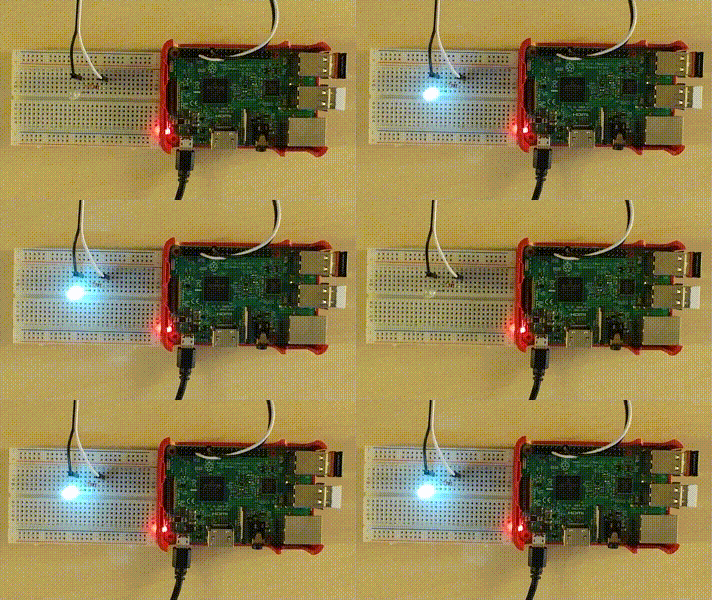

If you want to let a LED blink or measure the temperature in your room, you can use SmallBASIC on a Raspberry PI. As an example you can connect a LED and a resistor to a GPIO-Pin of your Raspberry Pi, write a short SmallBASIC programm and enjoy the blinking LED:
import gpio

const PIN_GPIO4 = 4

gpio.SetOutput(PIN_GPIO4)

for ii = 1 to 5
  gpio.Write(PIN_GPIO4, 1)
  delay(500)
  gpio.Write(PIN_GPIO4, 0)
  delay(500)
nextFebruary 6 2025: Fixed GPIO at Raspberry Pi OS Trixi: GPIO access at the newest Raspberry Pi OS (Trixi) was broken, because Debian updated libgpiod to version 2. Some functions of the SmallBASIC GPIO library changed and therefore rewrite of your code might be necessary. Several new features were added, i.e. define pullup or pulldown, or read and write multiple pins simultaneously.
July 31 2025: Add support for ST7789 color TFT displays
July 11 2025: SmallBASIC PiGPIO 2 supports now all Pi’s from Zero to 5. It can even run on other LINUX systems. The API got a complete rewrite and is therefore not anymore compatible with SmallBASIC PiGPIO 1.